Blue Team Labs Online - HUNT3R

As a part of routine threat hunting activities, web logs are retrieved any analysed by the security team. Can you find anything?
Incident Response
Tags: Linux CLI/Terminator Sublime Text 2 OSINT Gnumeric CyberChef T1584.006
Scenario As a part of routine threat hunting activities, web logs are retrieved any analysed by the security team. Can you find anything? Use your command-line skills, along with an analytical approach to identify malicious activity and gather attack information.
Reading Material: https://stackoverflow.com/questions/14618326/how-to-import-a-text-log-file-into-a-excel-columns (this wont work fully, but it does work!)
Investigation Submission
Q1) What is the IP address of the web server, and what is the FQDN? (Format: X.X.X.X, https://domain.tld)
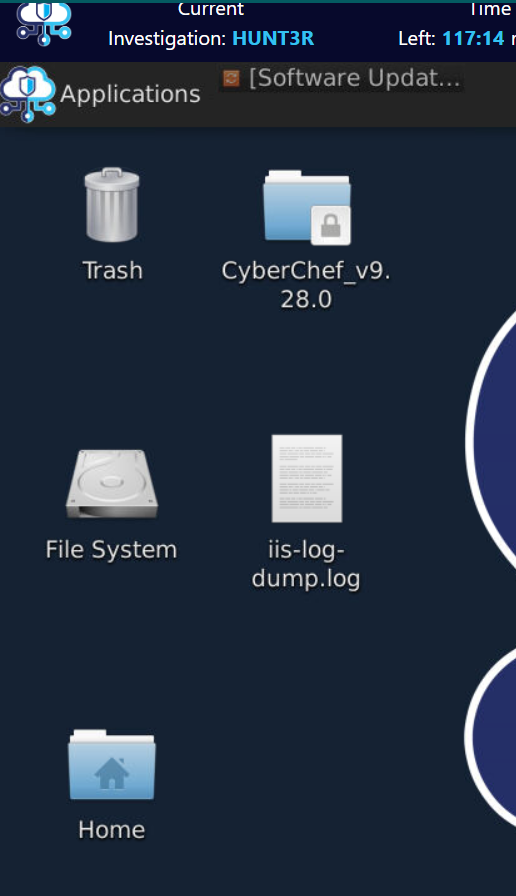
We only have log file to investigate so lets open terminal and make use of our log parsing skills!
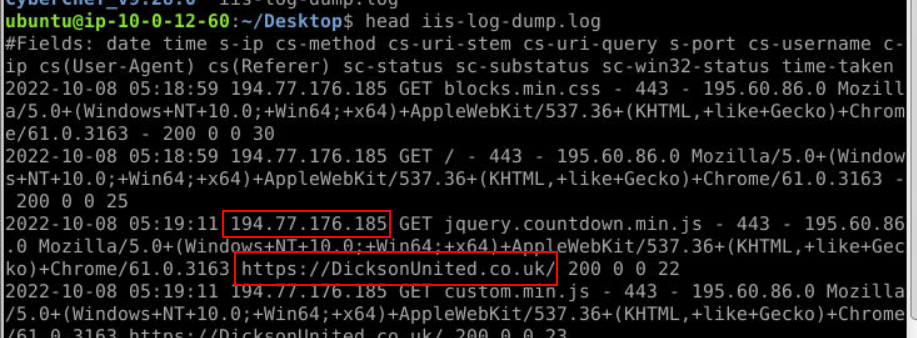
Lets start this by determining an IP address of this webserver and FQDN by using head command with log then we should be able to get both of them right here.
Answer
194.77.176.185, https://DicksonUnited.co.uk/Q2) Investigate the logs to identify what is expected traffic, and what isn't. What is the source IP related to malicious activity? (Format: X.X.X.X)
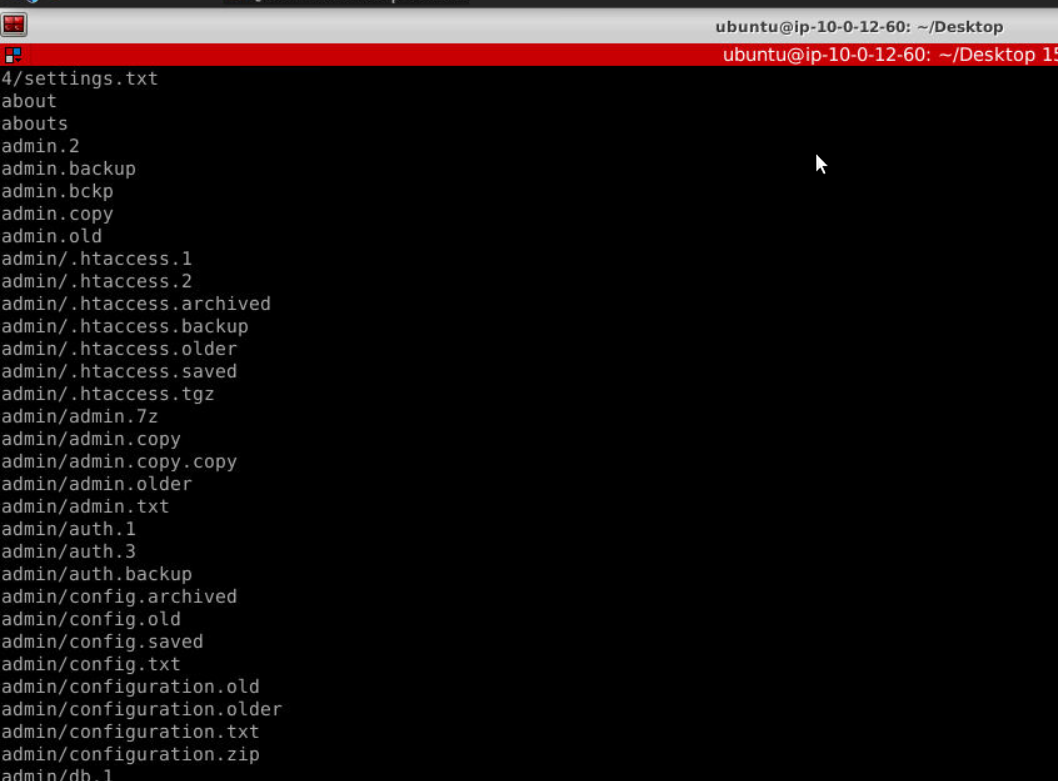
Next I used cut -d " " -f 5 iis-log-dump.log | sort | uniq to identify weird endpoint then I saw these weird endpoint that likely to be file discovery attempts by the threat actor.

So I grabbed one of them and search it for an IP address which turn out to be the right answer of this question.
Answer
200.10.209.169Q3) Use OSINT tools to find the country associated with this IP (Format: Country Name)
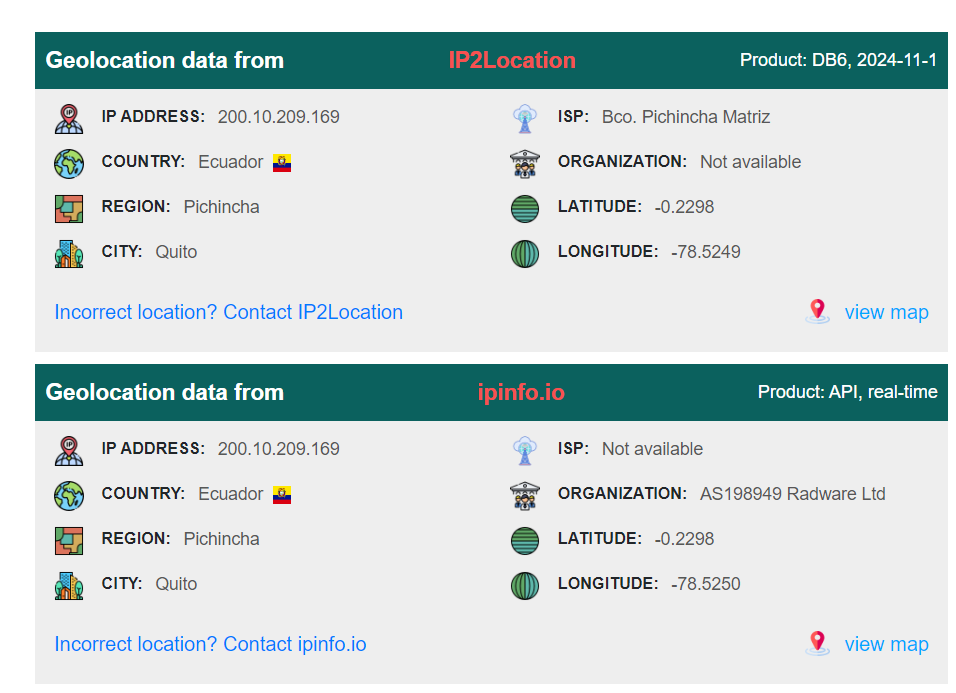
After use IPlocation to find out the country associated with this IP address then you can see that its in Ecuador.
Answer
EcuadorQ4) What is the user-agent string used by the malicious actor? (Format: User-agent)
 Go back to the result from grep command to get user-agent but you have to copy it twice since its too long for BTLO clipboard to be parsed in a single time.
Answer
Mozilla/5.0+(Windows+NT+10.0;+Win64;+x64)+AppleWebKit/537.36+(KHTML,+like+Gecko)+Chrome/78.0.3904.108+Safari/537.36Q5) How many lines in the log file reference the malicious IP address? (Format: Number of Lines)
 We can grep this IP address then pipe it to
 wc -l to count all lines from grep command then we would have all lines in the log file reference to this malicious IP address.
Answer
833Q6) Which request made by the malicious IP resulted in a successful connection? Provide the URL that was accessed (including the FQDN) (Format: https://domain.tld/somethinghere)
 Lets use
 grep "200.10.209.169" iis-log-dump.log | grep ' 200 ' to get all HTTP request with HTTP Status 200 then we will only have this 1 line that threat actor had accessed.
Answer
https://DicksonUnited.co.uk/4/settings.tgzQ7) What is the timestamp for this successful request? (Format: YYYY-MM-DD HH:MM:SS)

Get the timestamp of this request right here.
Answer
2022-10-17 18:18:59Q8) Looking at only requests for this IP, based on the timestamps of the first and last events, what was the duration of the attack in seconds? (Format: Seconds Duration)

We can use head -n 1 along with tail -n 1 to get the first and the last request from this IP address then we can calculate duration between this 2 timestamp easily since its not long.
Answer
16Q9) How many URIs accessed by this IP are unique? (Format: Number of Unique URIs

For this question I used grep "200.10.209.169" iis-log-dump.log | cut -d " " -f 5 | sort | uniq | wc -l to list all URIs accessed by this IP address then sort and remove duplicate and lastly count all the lines remains.
Answer
653Q10) How many unique source IPs are observed within the log file? (including the malicious IP) (Format: Count of Unique IPs)

I used cut -d " " -f 9 iis-log-dump.log | sort | uniq | wc -l for this question to list all unique sender IP addresses to this website.
Answer
243 https://blueteamlabs.online/achievement/share/52929/127